
With over 3 million users and plans to open up more broadly in the months ahead, Bluesky is still establishing itself as an alternative to Twitter/X. However, that hasn’t stopped the developer community from embracing the project and building tools to meet the needs of those fleeing the now Elon Musk-owned social network, formerly known […] © 2024 TechCrunch. All rights reserved. For personal use only. from TechCrunch https://ift.tt/TBbEAPF
About a year ago, Keychron launched its Q-series of custom mechanical keyboards that now spans the gamut from small 60% boards to full-size options, with everything in between. Whatever your preference, Keychron clearly wants to be in the running for your money. Now, the company is launching the Q8, a rare 65% Alice-style board with a gasket design.
Unless you’re deep into mechanical keyboards, chances are you’ve never heard of an Alice-style board. It’s basically a keyboard that’s split in the middle with both sides slightly angled and curved, with small space bars and B keys on both sides (yes, B keys on both sides…). Otherwise, it’s mostly a standard layout with arrow keys and numbers, but without a numpad or F keys. and while I hesitate to call it ‘ergonomic,’ the angled keys allow for a pretty relaxed wrist position. Unlike ‘real’ split ergonomic keyboards like an ErgoDox EZ or Matias Ergo Pro, all you get is a set angle though and no tenting to raise the middle of the board. In return, though, it’s extremely easy to adjust to an Alice layout and, by extension, the Q8.
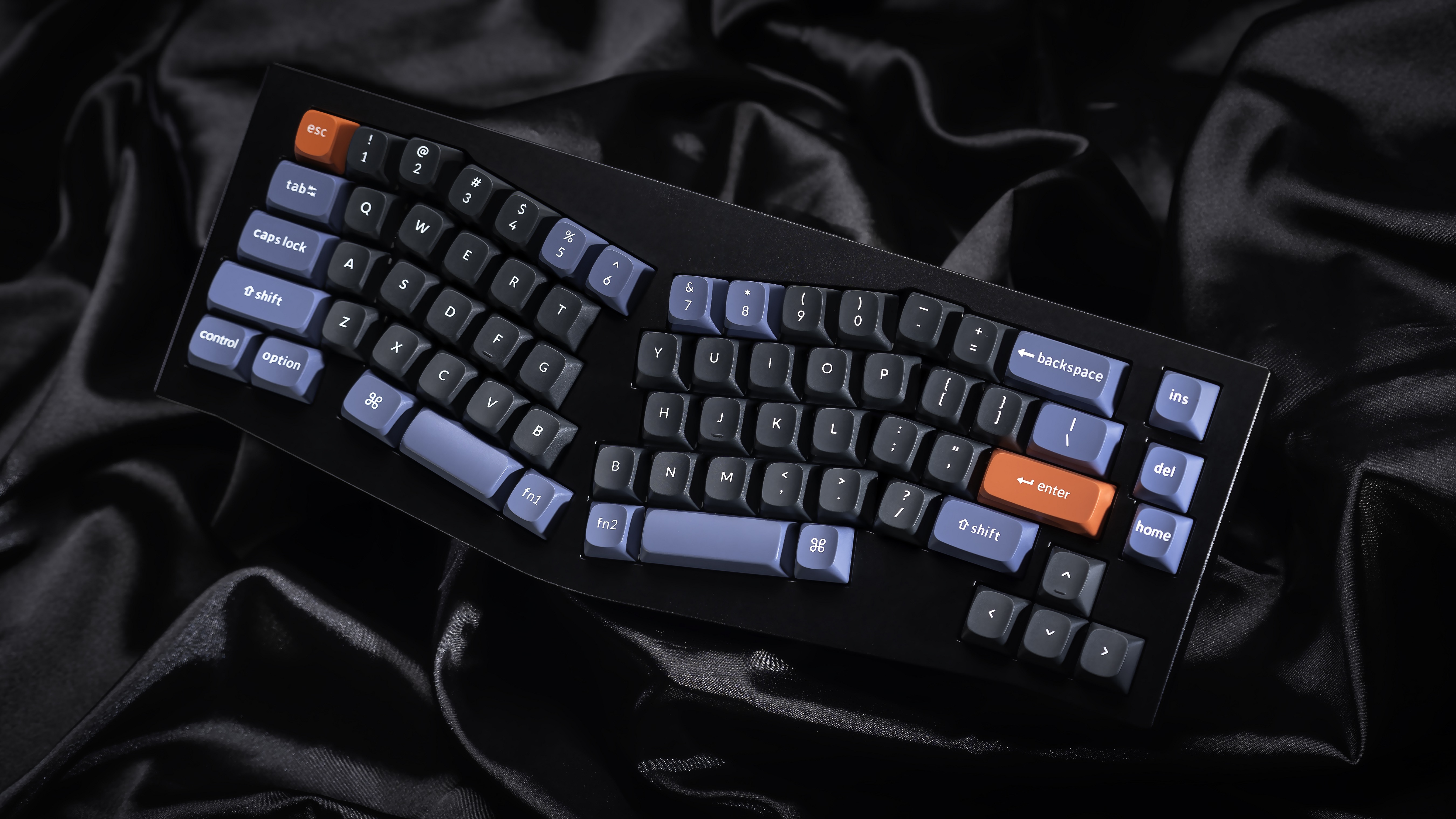
Image Credits: Keychron
Keychron provided us with a review sample ahead of the launch and having recently tried both their Q3 TKL and Q8 1800 board, this one may actually be my favorite one of the bunch. The version I have here is the pre-built Carbon Black edition with a knob and pre-lubed Gateron Pro red linear switches. That’s both a look I enjoy and a switch I can live with (I’d likely replace it with a slightly heavier linear).
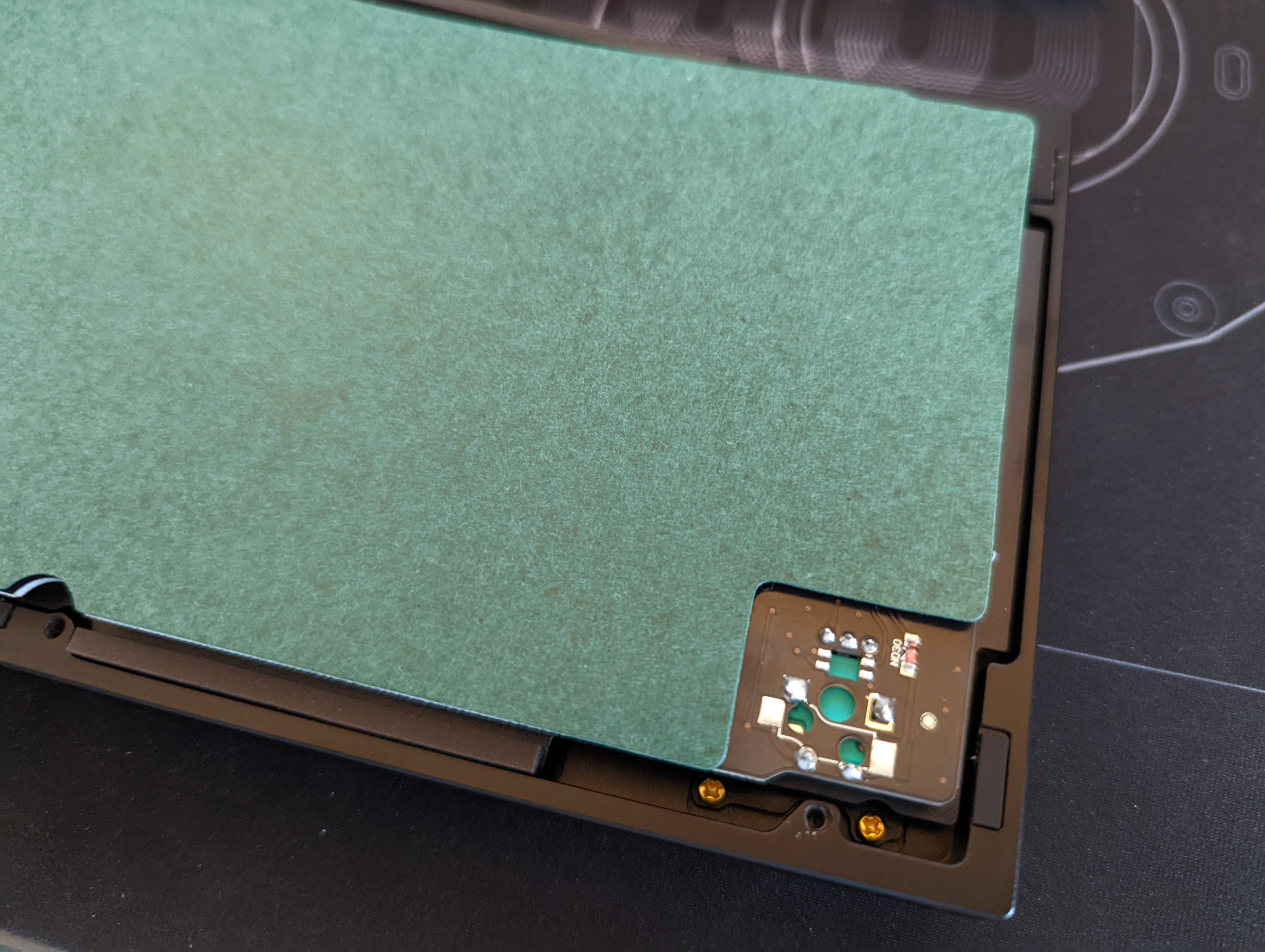
Surprisingly, there is no foam at the bottom of the case to mute the sound. Instead, Keychron opted to pre-apply the popular tape mod and covered the back of the PCB with a pre-cut green tape, something I haven’t seen on a pre-built board before. That may sound like a weird thing to do, but it really does shape the sound by absorbing some of the unwanted higher frequencies. It’s nice to see Keychron learning from the mechanical keyboard community, though, and the result speaks for itself. There’s no case ping here either, which also helps shape the overall sound, and while there isn’t a lot of space at the bottom of the case, there should be just enough to add a thin layer of foam to mute the board a bit more, if that’s your thing.
Out of the box, the board actually sounds quite alright. It’s almost ‘thocky,” but not quite. The screw-in stabilizers need some additional lube, especially to make the larger right spacebar sound better, but half the fun of custom boards is to shape them to your preferences and there is still some room here to do that. Like with previous Q-series outings, the optional knob feels nice, with clear steps and a satisfying click when you press it.
I still wish Keychron would offer more switch options, but since this is a hotswap board, you can easily replace them. Given that the fully assembled versions of Keychron’s boards with switches and keycaps only cost about $20 more than the barebone sets, I tend to opt for the fully assembled versions. If you’re new to mechanical keyboards, that’s the way to go anyway and if you’re already deep down the rabbit hole, you can always find some use for a few extra switches. I’ve really enjoyed Keychron’s double-shot PBT Cherry profile keycaps lately, too, which at $40 are a bit of a steal.
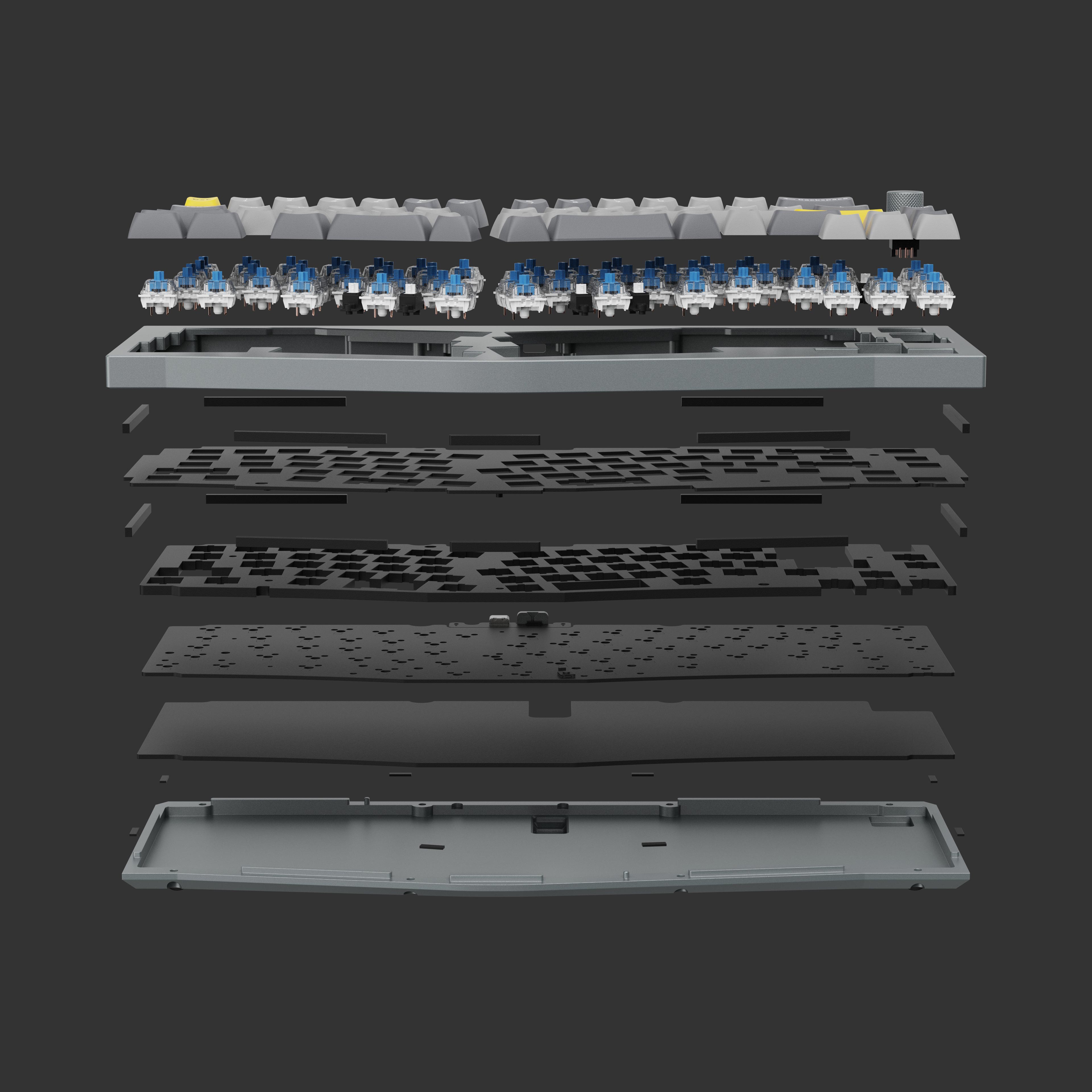
Image Credits: Keychron
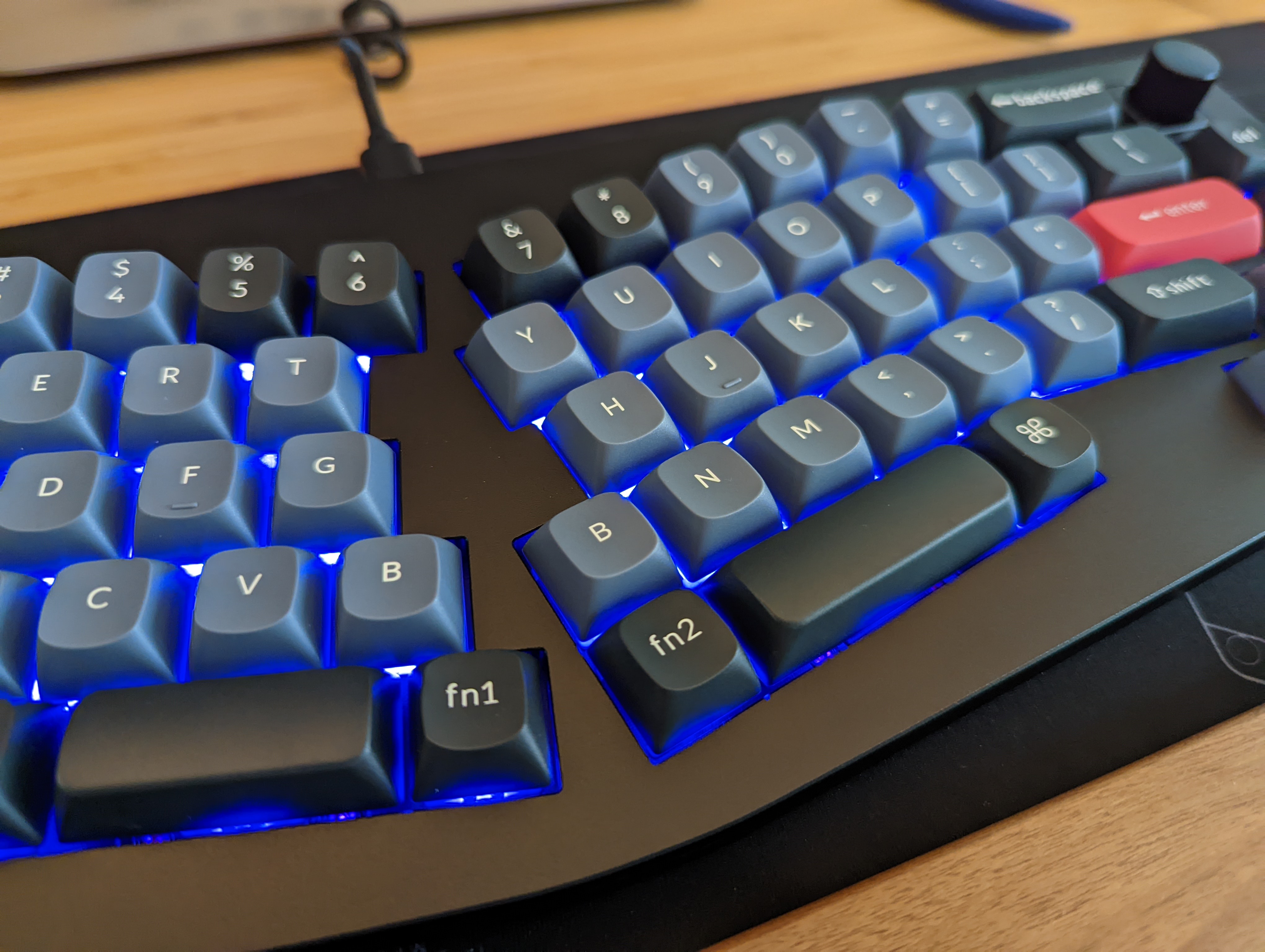
Talking about keycaps: given that Alice-style boards aren’t exactly standard (though Akko also recently released one), it’s hard to find mainstream — that is, non-group buy — keycap sets that support it. In addition to the two small space bars, Keychron opted for two B keys in the middle because quite a few typists apparently alternate between hands for typing B. In an earlier version, Keychron actually opted for two G’s instead (the slot for that is still on the PCB), but the community feedback was swift and almost uniformly negative. Some keycap sets actually feature two B keys, but that’s still somewhat unusual. You may have to get a bit creative with a function key there if you only use one of those anyway. Fun fact: Keychron’s latest Cherry keycaps feature two G keys…
Otherwise, the Q8 follows the lead of the rest of the Q series, with QMK/VIA compatibility for reassigning every key to your heart’s desire, a CNC-machined aluminum body and a polling rate of 100 Hz for gamers. There’s also per-key LED, of course, to light up your daily typing session. The PCB can handle both three- and five-pin MX-style switches. And like those other boards in the Q series, you can switch between Windows and Mac compatibility and like those other boards, the Q8 is only available in a wired version, which remains the standard for custom keyboards.
Overall, I was happily surprised by the Q8. Like most of Keychron’s recent offerings, you could easily use it as is and be perfectly happy with your choice, but with just a few small mods, you can make it great and shape it according to your needs.
Pricing starts at $175 for a barebone kit without knob and $185 with it. Add $20 to those and you get switches and keycaps, too. There aren’t a lot of affordable (in mechanical keyboard terms) Alice-style keyboards on the market, but it doesn’t feel like Keychron cut any corners here.
from TechCrunch https://ift.tt/EQZzMb3
Comments
Post a Comment